Are you new to the world of vehicle diagnostics and not sure where to start with Jaltest?
Are you wondering how to use this powerful tool without getting lost in all its features?
Don’t worry!
This guide is specially designed for beginners to help you navigate Jaltest INFO Web easily and get the most out of this diagnostic software.
What Is Jaltest Diagnostic Software?
Jaltest INFO Web is a multi-brand, multi-system diagnostic software used by professionals worldwide. It allows you to:
- Read fault codes
- Access detailed technical data
- Follow step-by-step repair guides
- Monitor vehicle systems in real time
Whether you’re a mechanic, fleet manager, or technician, Jaltest helps you save time, diagnose accurately, and perform more efficient repairs.
Getting Started with Jaltest INFO Web
1. Log in to the Platform
To begin, open your browser, go to Jaltest INFO Web, and log in with the username and password provided by your distributor.
You now have access to the full technical database and diagnostic features.
2. Select the Vehicle
Choose the type of vehicle you want to diagnose:
- Truck or heavy-duty vehicle
- Bus or coach
- Agricultural machinery
- Construction equipment
- Material handling equipment
- Marine equipment
Then enter the vehicle’s details: brand, model, year, or even VIN.
This ensures that you get accurate, vehicle-specific diagnostics.
3. Reading ECUs and Fault Codes
Connect your vehicle to Jaltest (if you are using the Jaltest Link interface) or use the online functions to access vehicle information.
Jaltest automatically scans all ECUs: engine, transmission, braking, hydraulics…
- Fault codes appear quickly and are explained with precise details.
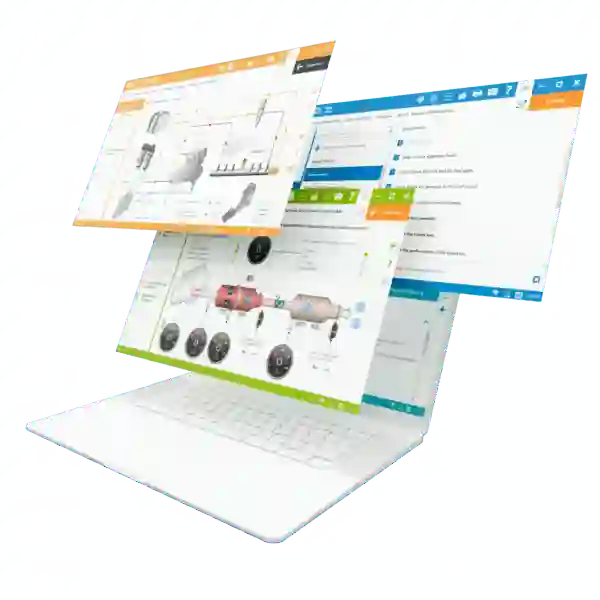
- Each code is linked to a repair guide on INFO Web, including diagrams and steps to follow.
4. Analyzing and Interpreting Data
Each fault code comes with:
- A clear description
- Possible causes
- Instructions to correct the issue
- Real-time data on components
This is perfect for beginners, as the platform guides you step by step without requiring prior experience on the vehicle.
5. Using the Guides and Procedures
Jaltest INFO Web provides complete guides such as:
- Regular maintenance procedures
- Detailed repair instructions
- Interactive electrical and pneumatic diagrams
- Actuator tests and calibrations
Simply follow the steps, check the expected values, and perform the diagnostic efficiently.
6. Tips for a Great Start
- Explore the platform: Take time to navigate through all modules.
- Watch tutorials: Jaltest provides explanatory videos for each feature.
- Practice on different vehicles: This helps you understand system variations.
- Update regularly: Updates add new functions and improve vehicle coverage.
- Ask for help when needed: Technical support is there to guide you.
Conclusion
Starting with Jaltest INFO Web may seem intimidating at first, but by following these simple steps, you will quickly be able to:
- Read and understand fault codes
- Access clear and detailed repair guides
- Diagnose with accuracy and confidence
As a beginner, Jaltest INFO Web becomes your best ally to learn how to diagnose and repair different vehicles.
With a little practice, this software will become an essential tool in your workshop—saving you time and improving the quality of your work.