
Have you ever wondered why some fleets remain reliable and efficient, while others seem to suffer constant breakdowns?
Fleet maintenance management Jaltest INFO Web is the key to reducing breakdowns and improving fleet reliability. With centralized technical data, fleet managers and technicians can make faster and more accurate maintenance decisions.
Quick Overview of Jaltest INFO Web
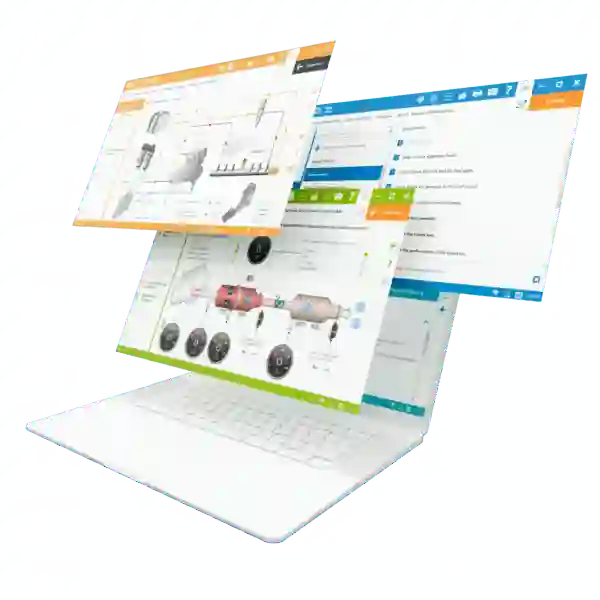
Jaltest INFO Web is much more than a simple database. It provides full access to technical information for thousands of vehicles across multiple brands and categories.
What makes this platform indispensable:
- Fast access to information: Retrieve complete vehicle data in just a few clicks
- Ease of use: An intuitive, guided interface accessible even to junior technicians
- Unique features:
- Detailed fault codes
- Step-by-step repair guides
- Electrical wiring diagrams
- Component locations
- Maintenance and service history
In short, Jaltest INFO Web turns fleet maintenance into a structured and predictable process.
Essential Components to Use Jaltest INFO Web
Before getting started, make sure you have the following:
🔹 Jaltest INFO Web license – Grants access to all technical data and updates
🔹 Computer or tablet – For easy access in the workshop or in the field
🔹 Stable internet connection – Required to access the platform and download updates
🔹 User login credentials – Ensure access to vehicle modules and maintenance histories
💡 Tip:
If you manage multiple vehicle types, make sure your subscription covers all necessary categories—trucks, agricultural machinery, and construction equipment—by choosing the Jaltest INFO Web Bundle Pack.
How to Use Jaltest INFO Web on a Daily Basis
1. Quickly Search for a Vehicle
Enter the brand, model, and year to access all available technical information.
2. View Fault Codes and Repair Solutions
Each fault code includes a detailed repair procedure, supported by diagrams and illustrations for easier understanding.
3. Track Maintenance and Repairs
Document all service actions to maintain a complete vehicle history. This helps monitor reliability and anticipate future failures.
4. Plan and Organize Maintenance
Prioritize vehicles based on urgency and prepare required parts in advance.
💡 Practical tip:
Use favorites and search history to quickly access the most critical vehicles in your fleet.
Advanced Features and Customization Options
Jaltest INFO Web is not just a reference tool—it’s a flexible solution for optimizing maintenance operations:
- Integration with fleet management software to centralize data
- Additional modules depending on vehicle type, such as ADAS systems or predictive maintenance
- Customizable reports to quickly visualize maintenance and repair needs
Conclusion
With Jaltest INFO Web, managing and maintaining a diverse fleet becomes significantly easier and more efficient. Technicians gain access to reliable, up-to-date technical information, while fleet managers can plan interventions proactively.
If you’re not using this platform yet, now is the time to discover how it can transform your maintenance routine.
💡 Explore Jaltest INFO Web, centralize your technical data, and share best practices with your team. Optimizing your fleet has never been so simple and precise.