
Introduction: What If a Simple Engine Warning Could Cost You an Entire Day?
When a Mercedes-Benz truck displays a warning light on the dashboard, the real question is simple:
How much time will you lose before identifying the root cause?
In a modern workshop, every minute matters. With Jaltest Info Web, technicians can quickly identify fault codes and return the vehicle to service without unnecessary delays.
An Overview: Fast Yet Technical Diagnostics
Reading fault codes on a Mercedes-Benz truck is not difficult, but it requires a clear and structured process.
- Difficulty level: Medium
- Time required: A few minutes to one hour, depending on the fault
- Objective: Identify the exact cause of the problem
Jaltest Info Web simplifies this process by guiding technicians through every step of the diagnosis.
What You’ll Need
Before starting, make sure you have:
- Jaltest Diagnostics → The main diagnostic tool.
- A compatible vehicle connection cable.
- The truck’s VIN (Vehicle Identification Number).
- Access to the Jaltest Info Web technical database.
- A technician trained in vehicle diagnostics.
Without these essential elements, diagnostics become slower and less accurate.
Step-by-Step Guide to Reading Mercedes-Benz Fault Codes
1. Connect to the Vehicle
Connect the Jaltest Diagnostics tool to the truck and select the appropriate Mercedes-Benz model.
2. Identify the Vehicle
Use the VIN to identify the exact vehicle configuration and avoid diagnostic errors.
3. Perform a Full or Targeted Scan
Choose the diagnostic approach that best suits the situation:
- Full Scan: Checks every electronic control unit (ECU).
- Targeted Scan: Focuses on a specific system such as the engine, transmission, or braking system.
4. Read the Fault Codes
Access the engine control unit (ECU) and display all stored Diagnostic Trouble Codes (DTCs).
Understanding the Results
Jaltest displays fault codes using color indicators to simplify interpretation:
- 🔴 Red: Active fault requiring immediate attention.
- ⚪ Gray: Stored or historical fault.
- 🟡 Yellow: Intermittent fault that occurs under certain conditions.
Even a gray (historical) fault may reveal an underlying issue that should not be ignored.
Advanced Diagnostic Analysis
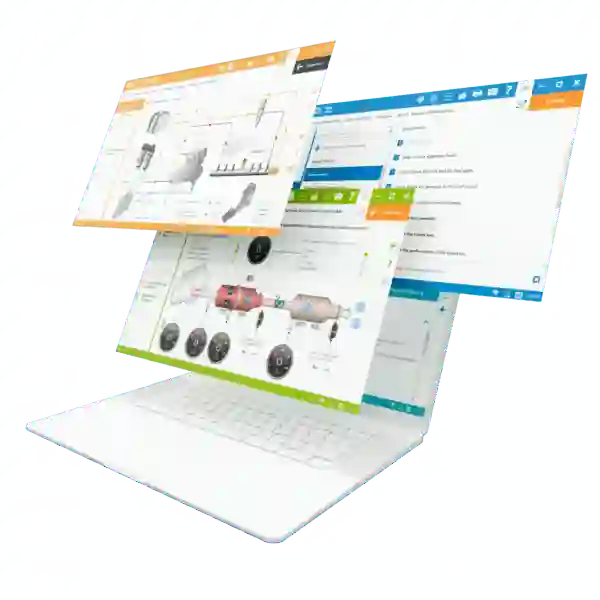
With Jaltest Info Web, technicians can go beyond simply reading fault codes.
They can:
- View possible causes of each fault.
- Compare sensor readings with manufacturer specifications.
- Access wiring diagrams and technical documentation.
- Analyze live sensor data in real time.
Tip: Always verify diagnostic data before replacing any component.
Repair and Verification
Once the diagnosis is complete:
- Identify the root cause.
- Repair or replace the faulty component.
- Clear the fault codes using Jaltest Diagnostics.
- Test the vehicle under real operating conditions.
The goal is to confirm that the problem has been completely resolved.
Data Management and Preventive Maintenance
To reduce recurring failures, workshops should:
- Save vehicle fault history.
- Keep Jaltest Diagnostics software updated.
- Perform preventive diagnostic inspections.
- Analyze recurring faults to identify long-term issues.
These practices improve vehicle reliability and reduce unexpected downtime.
Ways to Improve Your Diagnostic Process
Every workshop can enhance its performance by:
- Using a multi-brand diagnostic solution.
- Providing continuous technician training.
- Taking advantage of integrated technical repair guides.
- Analyzing vehicle data to improve troubleshooting accuracy.
Conclusion
Reading Mercedes-Benz fault codes with Jaltest Diagnostics is more than a technical procedure—it’s a way to save time, reduce repair costs, and eliminate unnecessary guesswork.
With a structured workflow and the technical resources available in Jaltest Info Web, workshops can diagnose vehicles faster, work with greater precision, and maximize productivity.
Fewer diagnostic errors. Greater efficiency. Trucks back on the road faster.